
Alice in wonderland progress
Tried some other tools in Sai, very quick fills done, haven’t really figured out the program fully just yet, so background was quickly done in photoshop, may redo it later in Sai of course.
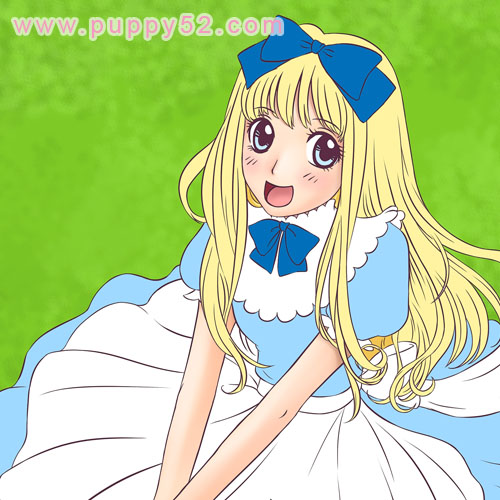
There are different ways and methods I use when I colour my artwork.
Usually the line art — either scanned image, or inked in the computer — is in a separate layer, and similar or same colours or items (example, hair, clothing, skintone etc) in different layers. I noticed that in photoshop the file will become huge as more layers, shading and effects are added.
In Sai, the image refreshes and saves quickly, something I really like since it definitely saves some time. Also multi control-Z is definitely a plus ^^. In this current work in progress, I fill some base colours (in separate layers) first, this method allows me a quick over view of the overall colour schemes and when I finalise colours I will do shading later. This method is neater in a way that we can re-select the filled in parts, keeping most shading within the base colours.
In the previous “That cat girl” I used a slightly more time consuming and messier method, where I shade roughly around and then erase the strokes which bleeded outside of the line art.
Looking good, as usual.
Man I forgot Alice in wonderland even exists, I have not seen that since i was a wee wee child.
Looking good, as usual.
Man I forgot Alice in wonderland even exists, I have not seen that since i was a wee wee child.
The mouth is too big. >_<
The mouth is too big. >_<
BZou thanks ^^ Alice in wonderland theme is pretty popular with a lot of doll clothing ^O^
Panther :P I have seen bigger lol
BZou thanks ^^ Alice in wonderland theme is pretty popular with a lot of doll clothing ^O^
Panther :P I have seen bigger lol